
Run & progression guide
Neon Abyss 2 Beginner Guide: Your First Runs
A starting point for learning the Abyss without trying to master every build system at once.
Sources checked:
- Coverage
- Beginner run structure and documented 1.0 changes; no best-character ranking or full boss route.
- Older advice
- Early-access sources explain the basic loop. Their fixed costs, node order and old upgrade menus are not presented as current values.
- Play
- Solo or online co-op with up to four players. Cross-platform compatibility is a separate question.
Start and finish
Start your Neon Abyss 2 beginner runs in Abyss Invasion if you want to learn exploration: clear rooms, collect rewards and decide when your equipment is ready for the floor’s boss. Keep moving while aiming, read the cost before interacting, and compare a new weapon with the upgrades already on your current one. Back at the bar, check your permanent Evolution progress before the next attempt. The resource guide and hub checklist below explain those decisions; exact shop prices and Evolution node order from early-access guides should not be assumed to match 1.0.
Learn one floor before planning an entire build
Abyss Invasion gives you room to explore a floor and choose between taking on its boss or looking for more rewards first. Storm Breach uses a more direct room-choice progression. For a first attempt, exploring the regular mode makes it easier to see how shops, resources and optional encounters fit together. That is a learning recommendation, not a requirement to unlock the other mode.
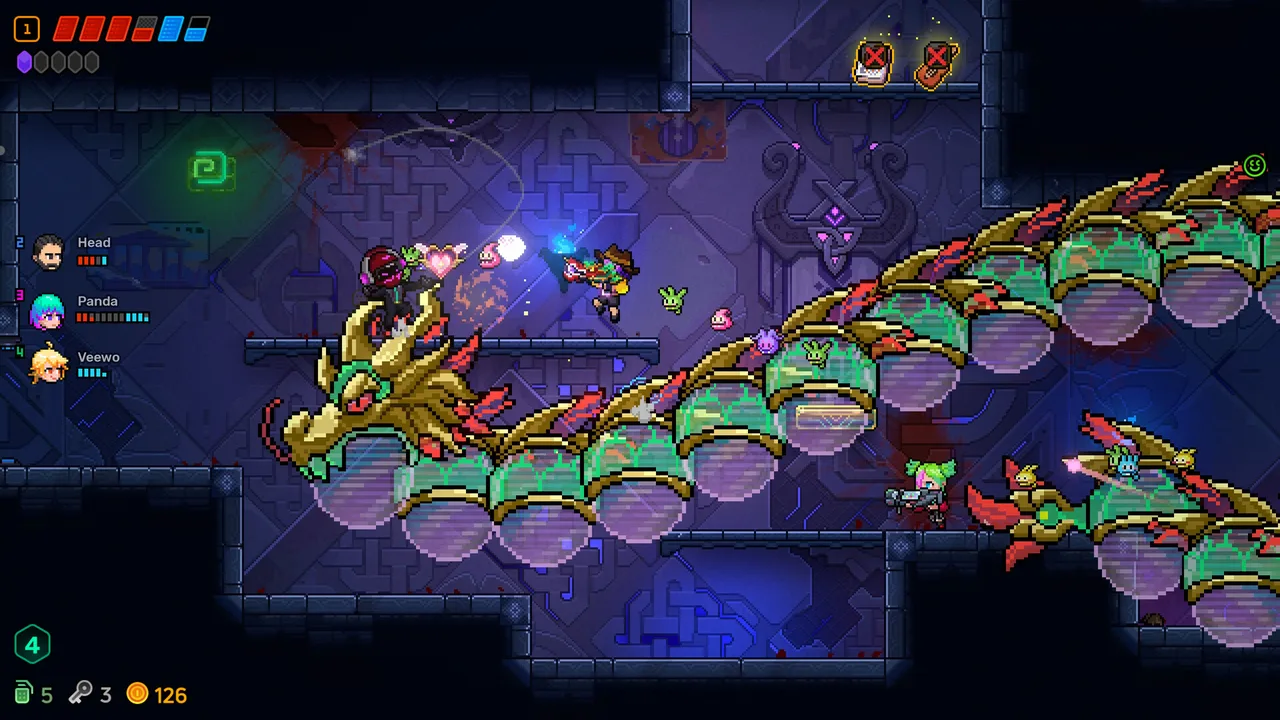
During combat, aim your weapon while running and jumping around incoming attacks. A weapon with a large effect can still leave you struggling to see an enemy projectile. Get comfortable with your movement and firing controls before treating another damage effect as the answer; the controls and settings guide covers that separate task.
After a room clears, examine the reward and nearby interactions. Check which object your character is targeting before confirming a purchase or opening a locked object. TheGamer’s early-access guide specifically warns about spending on the wrong nearby interaction when several objects overlap.
Exploration is a choice with a cost. Another challenge can improve your equipment, but it also puts your remaining health at risk. Decide what the reward would solve—weak damage, a missing resource or a companion build—before entering merely because a room is available.
Resources can power your build as well as pay for rewards
Before spending, read both the interaction’s price and your weapon’s affixes. A resource-dependent bonus can get weaker when you spend the resource it uses. Gaming Plus TV’s launch-period explanation uses key-dependent damage as one example; the useful habit is to compare the reward with the bonus you are giving up.
Swipe or scroll horizontally to read all columns.
| Resource or system | What to check as a beginner |
|---|---|
| Coins | Compare a purchase or merchant trade with effects that depend on coins you are carrying. |
| Keys | Check the locked object’s prompt and any key-dependent weapon bonus before paying. |
| Bombs | Keep track of the supply available for obstacles, interactions and combat; inspect the particular item’s effect before using it. |
| Crystals | Budget for both crystal-priced interactions and an active Curio’s stated cost. |
| Hearts and shields | Watch your remaining protection before choosing a health-priced interaction or optional fight. |
| Eggs and Hatchmon | An egg you are carrying and an active companion are different states. Read which one your item or affix needs. |
The smiley merchant has an additional option documented in the 1.0 notes: a long interaction spends coins to randomly change the requested payment type. Possible types include coins, red hearts, bombs, keys and eggs. It is a paid random change, so inspect the new offer before agreeing to the trade.
There is no universal rule that every resource should be spent immediately or saved forever. Keep the resources that make your present equipment work, and spend when the offered reward addresses a problem you actually have.
Compare the whole weapon before replacing it
A different firing pattern is only part of a weapon swap. Compare range, attack behavior and the affixes on the weapon you have already developed. A replacement may solve a range problem, while another weapon may simply look more impressive.
Unwanted weapons can provide Soul Shards for weapon growth. TheGamer’s early-access guide describes vaporizing them with a held interaction; the launch-period guides also discuss breaking unwanted weapons down. Follow your current game’s prompt rather than relying on a fixed keyboard binding. For the available weapon reference, see weapons; use the current in-game upgrade screen for its live choices and limits.
Older guides describe each rank as a Badge-or-Artifact choice. The official weapon rework added affixes to weapon growth, and 1.0 further changed Artisanism’s relationship with badges and crafting. Read the options actually offered by your upgrade screen. An old two-choice description is not a complete account of the launch system.
Weapon-experience jars also changed in 1.0: they release souls for the player to collect. Do not assume merely using the jar has already applied all its experience.
What to check when you return to the bar
Treat the bar as the place to review persistent progress and prepare the next attempt. TheGamer’s early-access walkthrough describes earning run EXP, receiving Evolution Points on level-up and spending them through the Evolve menu. The 1.0 notes confirm that the Evolution path’s unlock order was adjusted for new players. They also separate settlement growth from its animation, so skipping that animation should not skip the growth application.
When you return, check these different kinds of progress:
- Evolution: read the currently available node and its cost. Use the live tree’s order; an early-access list of one-point perks is not a launch-version plan.
- Agents and tasks: check what your available characters do and which task you want to work on next. Check the current Agent profile and task text for individual requirements.
- Boss goals: 1.0 Agent Profiles show boss kill records and highest Fate records. The Targets page’s route map shows challenge routes, node information and unlock states. Those records help distinguish a new challenge from repeating an already cleared encounter.
The in-game Evolution tree and Targets route map show the current growth nodes, challenge states and unlock progress. Use those screens rather than inferring an unlock from damage or inventory alone.
Choose the next system from the problem in your run
Learn systems in response to a problem you can recognize. This order is editorial guidance for reducing the number of decisions in a first run, rather than a tested fastest progression route.
Swipe or scroll horizontally to read all columns.
| What you are trying to understand | Useful next task |
|---|---|
| A weapon upgrade changes more than its firing pattern | Read the weapon reference and inspect the current upgrade screen. |
| Your inventory has effects that seem related | Check items and use the in-run set counter to confirm its requirements. |
| You are earning Faith but do not know what to use it for | Compare the Faith choices and costs shown in the current room. |
| You have many eggs but fewer useful active companions | Follow the current in-game prompts for hatching and companion choices. |
| You want to change a later run before entering | Review the selected Fate option separately from upgrades found during a run. |
For now, you do not need an all-weapon ranking or a prescribed endgame combination. Aim for an attack you can use while moving, enough protection to survive mistakes, and item effects whose conditions you understand.
Sources and scope
- Neon Abyss 2 — official Steam feature overview
Official combat, items, Hatchmon, Faith and online co-op declarations.
- Veewo Games — Neon Abyss 2 1.0 launch notes · 2026-10-08
Launch changes to Evolution, settlement, experience jars, merchants and Agent Profiles.
- Veewo Games — weapon reforge update · 2026-03-05
Dated introduction of affixes and additional upgrade choices; not an exact current upgrade table.
- TheGamer — How to Get Permanent Upgrades in Neon Abyss 2
Explicitly early access: interaction cautions, weapon vaporization and EXP/Evolve loop. Exact old costs and menus are not carried into 1.0.
- Gaming Plus TV — 10 Build Mistakes Ruining Your Runs · 2026-10-08
PC launch-period narrated explanation of affixes, resource trade-offs and eggs versus companions; not firsthand testing by this site.
- Gfinity — Neon Abyss 2 review · 2026-10-07
Original review describes regular exploration, forward room selection and permanent Evolution. Exact footage build is unspecified.
Prepared from the sources listed above. “Sources checked” records a source review, not gameplay testing by this website. Source scope is retained where it affects the answer.